Grammar Checker vs Rewriting: Which One Do You Actually Need?
You have written an email, checked the spelling, and fixed the grammar. But something still feels off. Maybe the sentence is too long, the request is unclear, or the tone does not fit the person receiving it.
That is when you need to understand the difference between grammar checking and rewriting.
A Grammar Checker helps correct language mistakes. Rewriting helps express the same idea more clearly, naturally, or professionally. Both are useful, but they solve different writing problems.
The challenge is finding a simple way to use the right feature without interrupting your workflow or moving between multiple tools.
That is where Aissista comes in. Instead of copying text into another website, you can select text in a supported editable field, click the floating Aissista button, and choose the feature you need.
In this guide, we will explain when to use a Grammar Checker, when rewriting makes more sense, and how Aissista brings both tasks into one convenient browser workflow.
Key Takeaways
Use a Grammar Checker when your writing contains spelling, grammar, or punctuation mistakes.
Use rewriting when your sentences need clearer wording, a better structure, or a more suitable tone.
You do not need to rewrite an entire document to improve one sentence.
Aissista lets you select text and access Grammar and Rewriting features directly through its floating button.
You can review the result and choose to replace, insert, or copy the updated text
What Is a Grammar Checker?
A Grammar Checker is a writing tool that identifies and helps correct grammar, spelling, punctuation, and other language-related mistakes.
You might already know what you want to say. You simply need to make sure the sentence is written correctly before sending an email, submitting an assignment, or publishing an article.
For example:
Original:
"The client have approved the design."
Corrected:
"The client has approved the design."
The correction fixes the subject-verb agreement. The original meaning and message remain unchanged.
What Can a Grammar Checker Help You Fix?
Depending on the tool, a Grammar Checker can help with:
Grammar mistakes: Correct incorrect verb forms and sentence structures.
Spelling errors: Identify incorrectly spelled words.
Punctuation: Check commas, periods, and other punctuation marks.
Subject-verb agreement: Make sure subjects and verbs match.
Sentence errors: Identify incomplete or incorrectly structured sentences.
Some writing tools also offer suggestions for clarity and readability. However, their available features can differ.
For example, Grammarly offers grammar checking along with other writing assistance features. It can be one option for users who want to review their writing.
When Should You Use a Grammar Checker?
Use a Grammar Checker when your sentence already communicates the right idea but contains language mistakes.
Here are some common situations:
Before sending an email: Check spelling, punctuation, and grammar so your message is easier to read.
While writing assignments: Review sentences and identify mistakes before submitting your work.
When preparing business documents: Check proposals, reports, and other professional content.
Before publishing a blog: Proofread your draft to catch language errors that may have been missed during writing.
If you frequently make similar mistakes, reviewing the corrections can also help you understand where your writing needs improvement.
For more examples, read our guide to common grammar mistakes and how to fix them.
What a Grammar Checker Cannot Do on Its Own
Correct grammar does not always mean clear communication.
Consider this sentence:
"Please handle this soon."
The sentence is grammatically correct, but the reader may not know what needs to be handled or when it is due.
A Grammar Checker can help correct language mistakes, but it cannot automatically supply missing context or decide what you actually want to communicate.
That is when rewriting becomes useful.
What Is Rewriting?
Rewriting means expressing existing text in a different way while keeping its original idea and purpose.
You can use it to make a sentence shorter, improve its flow, remove unnecessary words, or adjust its tone for a particular reader.
Unlike grammar checking, rewriting is useful even when your original sentence has no grammatical errors.
Original:
"I am writing this email to ask you if you can provide me with an update regarding the project."
Rewritten:
"Could you please share an update on the project?"
Both sentences are grammatically correct. However, the rewritten version is shorter and makes the request easier to understand.
What Can Rewriting Help You Improve?
A rewriting feature can help you:
Improve sentence structure: Make long or confusing sentences easier to follow.
Simplify wording: Replace complicated expressions with clearer language.
Remove repetition: Reduce unnecessary words and repeated ideas.
Adjust tone: Make a message sound more professional, friendly, or casual.
Improve readability: Organize ideas so readers can understand them more easily.
Rewrite emails: Make requests and responses clearer without starting from scratch.
The goal is not to make every sentence sound different. It is to improve the parts of your writing that need attention.
When Should You Use Rewriting?
Rewriting is useful when your grammar is correct, but the way you express an idea could be better.
For example:
When an email sounds too direct: Rewrite it to make the tone more appropriate for the recipient.
When a sentence is too long: Make it shorter without removing important information.
When a paragraph feels repetitive: Remove repeated ideas and improve the flow.
When website content is difficult to understand: Simplify the wording for visitors.
When a professional message sounds unnatural: Adjust the wording while keeping your original purpose.
For more practical examples, read our guide on rewriting an email professionally without changing its meaning.
What Should You Check After Rewriting?
A rewritten sentence may sound better but still change something important.
For example:
Original: "We expect delivery on Monday."
Incorrect rewrite: "Delivery is guaranteed on Monday."
The second sentence creates a stronger promise than the original.
Before accepting rewritten text, check that it preserves:
Original facts and information.
Names, dates, and numbers.
Conditions and requirements.
The level of certainty in the original message.
The action or request you intended to communicate.
Clearer writing should not come at the cost of accuracy.
Grammar Checker vs Rewriting: What's the Difference?
The main difference is the problem each feature solves.
A Grammar Checker focuses on correcting language mistakes. Rewriting focuses on improving how an idea is expressed.
Comparison | Grammar Checker | Rewriting |
Main purpose | Correct language mistakes | Improve how text is expressed |
Grammar | Checks grammar errors | May improve grammar while rewriting |
Spelling | Identifies spelling mistakes | May correct spelling in the new version |
Sentence structure | Identifies structural errors | Can reorganize sentences |
Tone | Depends on the tool | Can adjust wording to suit a reader |
Readability | May suggest clearer wording | Can simplify and improve flow |
Best for | Text with grammar or spelling errors | Text that sounds unclear, repetitive, or awkward |
Main goal | Make writing correct | Make writing clearer and more effective |
A simple way to remember:
If the sentence is wrong, use Grammar Check.
If the sentence is correct but does not sound right, use Rewriting.
If it has both problems, use both features.
You do not always need separate tools for these tasks. A writing assistant that offers both features can help you handle them in the same workflow.
How Aissista Makes Grammar Checking and Rewriting Easier
When you need to correct or improve a sentence, switching between websites can interrupt your writing process.
You might select text, copy it, open another tool, paste it, wait for a result, and then copy the updated version back into your original document.
Aissista offers a more direct way to handle these everyday editing tasks.
With its browser extension or app, you can access writing features directly from a supported editable field. You do not need to move to a separate writing tool just to correct or rewrite a selected passage.
1. Select the Text You Want to Edit
Open the webpage, document or anything where you are writing.
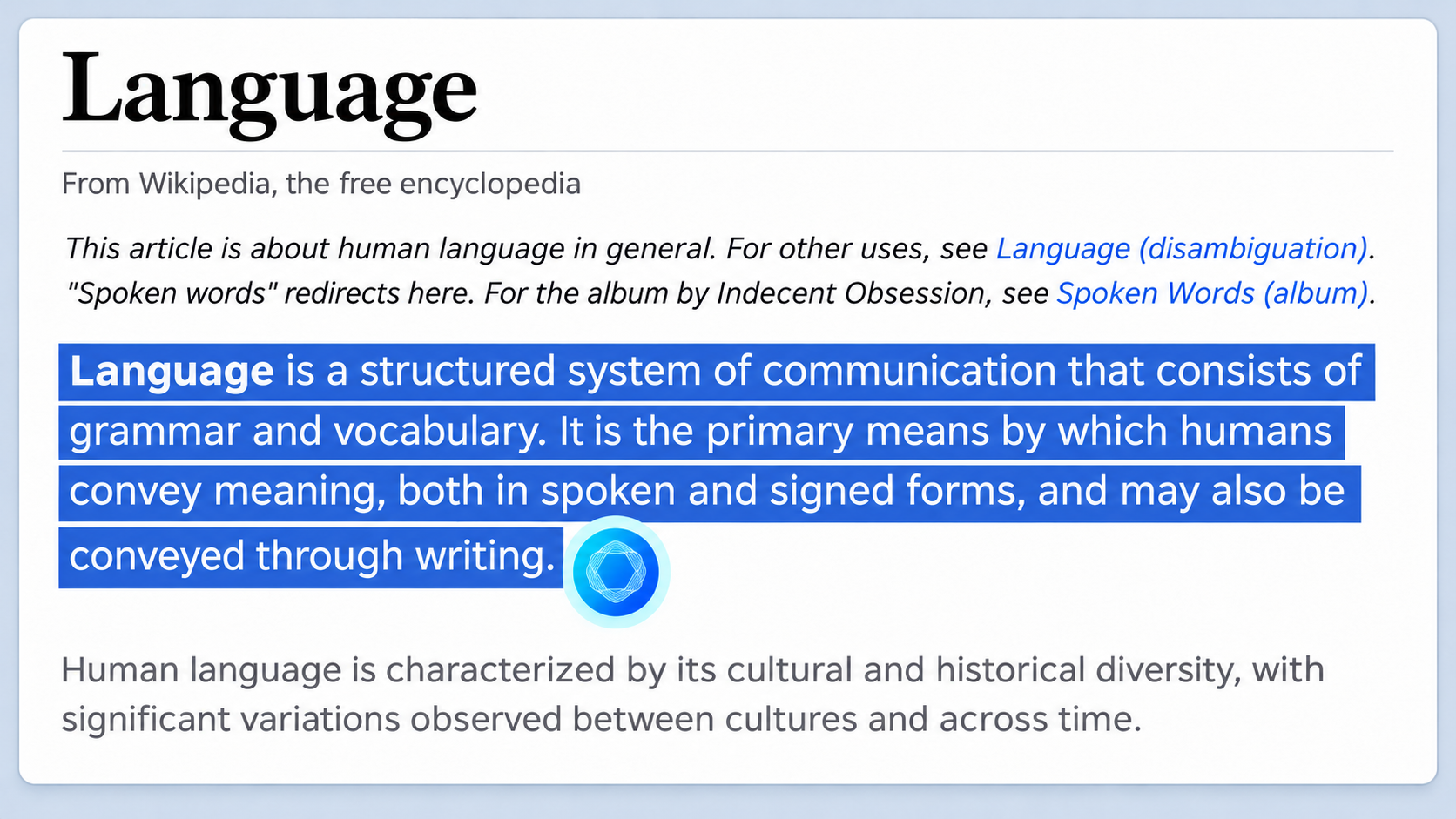
Find the sentence or paragraph you want to improve and select it with your cursor.
You do not have to select the entire document. You can work on just one sentence, a paragraph, or a larger section, depending on what needs editing.
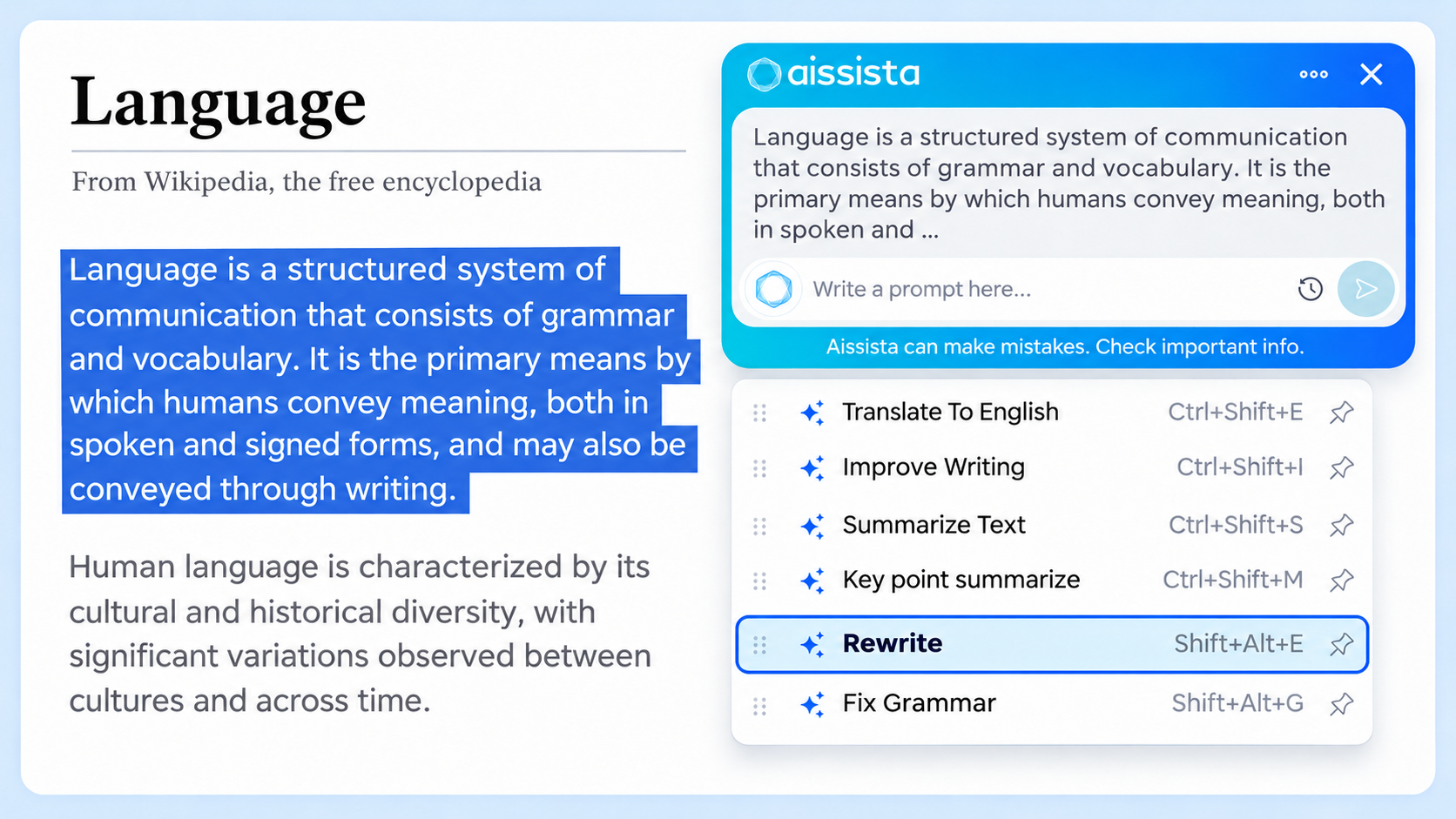
2. Click the Floating Aissista Button
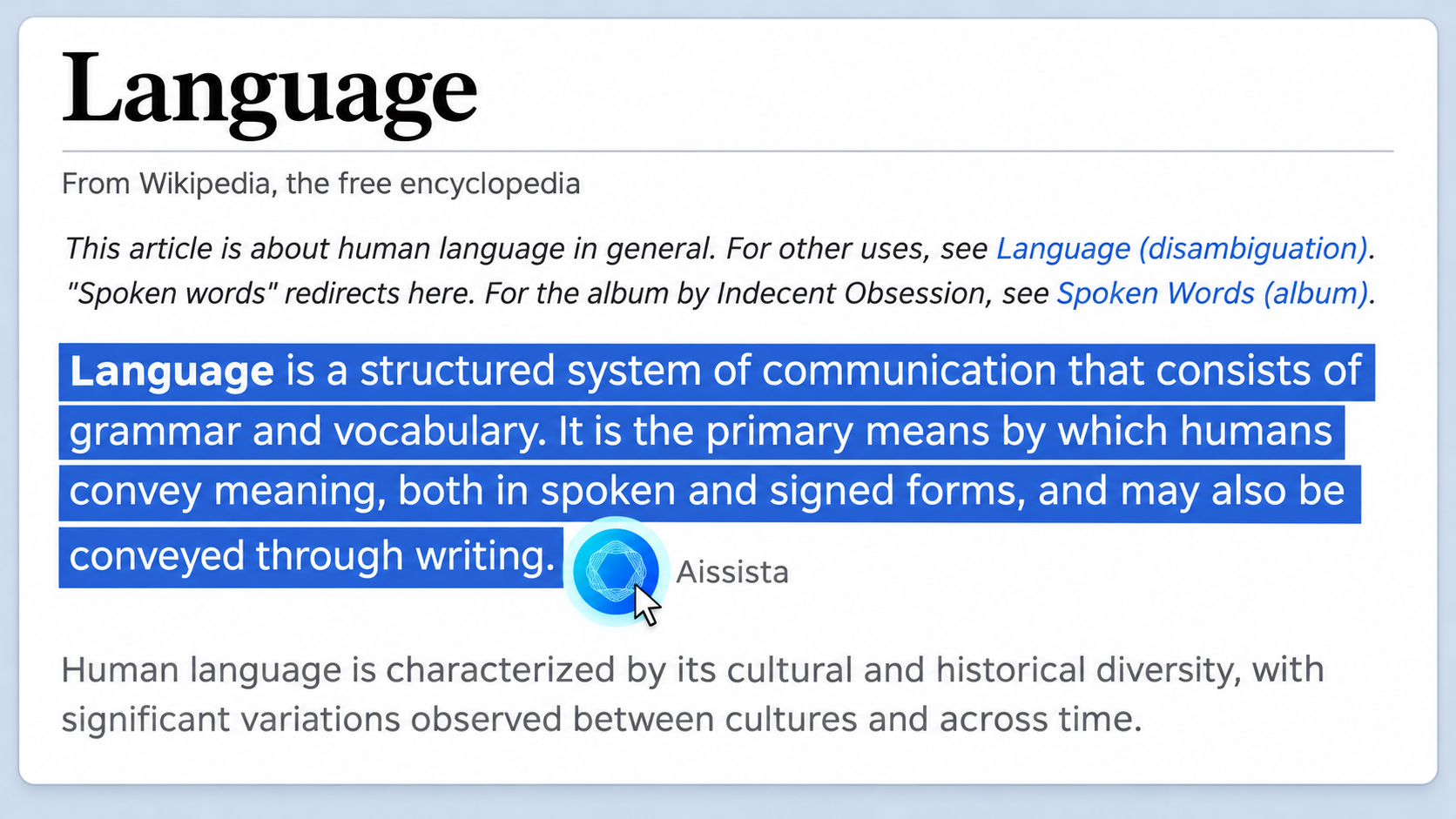
After selecting the text, click the floating Aissista button.
The feature menu will appear, allowing you to choose the action you need.
You can select Fix Grammar when you want to correct mistakes or choose Rewrite Text when you want to improve the wording.
3. Choose the Right Feature for Your Writing
You do not need to use the same feature for every editing task.
Choose Fix Grammar when:
Your sentence contains grammar mistakes.
You want to correct spelling or punctuation.
Your wording is already clear, and you only need language corrections.
Choose Rewrite Text when:
Your sentence is too long or difficult to follow.
You want to remove unnecessary words.
Your message needs a more suitable tone.
You want to express the same idea more naturally.
You can also use Improve Writing when you want broader suggestions to make a selected passage clearer and easier to read.
4. Review and Apply the Result
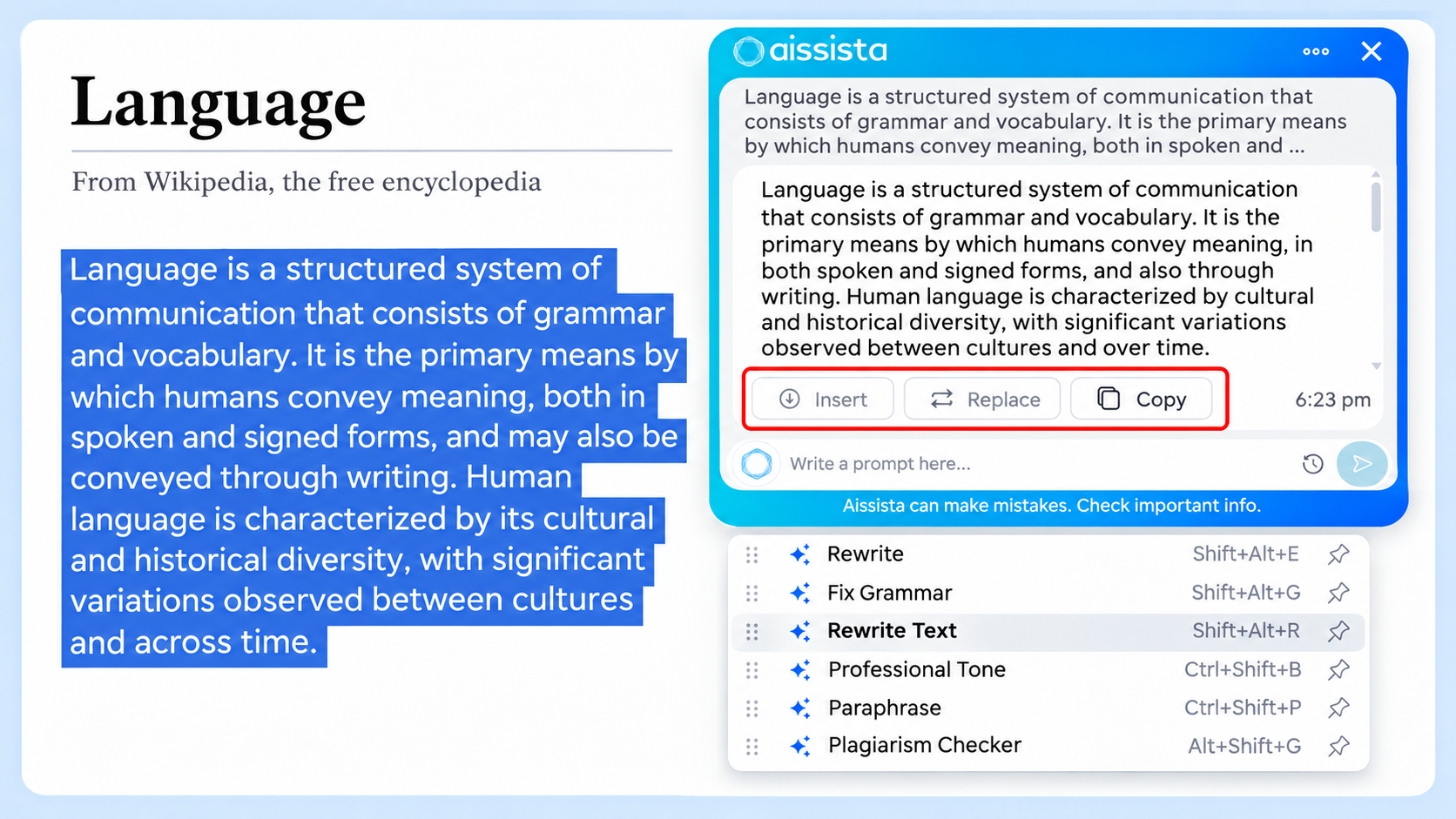
Once Aissista generates a result, review it before using it.
You can choose how to apply the updated text:
Replace: Replace the selected original text with the updated version.
Insert: Add the result alongside or after the original text.
Copy: Copy the result and use it wherever you need.
This gives you control over the final version instead of automatically changing your entire document.
Aissista vs Other Writing Tools: The Key Differences Explained
There are several writing tools available, including Grammarly and others. These tools can help users check grammar and improve their writing.
However, choosing a writing tool is not only about how many features it offers. The workflow matters too.
For example, Grammarly provides grammar checking and additional writing assistance. But if your priority is accessing selected-text editing features through a floating browser button, Aissista offers a workflow designed around that experience.
What to Consider | Aissista | Other Writing Tools |
Grammar checking | Fix Grammar feature | Depends on the tool |
Rewriting | Rewrite Text feature | Depends on the tool |
Selected-text workflow | Select text and use the floating Aissista button | Workflow varies by tool |
Writing improvement | Improve Writing feature | Depends on the tool |
Applying results | Replace, Insert, or Copy | Options vary by tool |
Browser workflow | Access features from supported editable fields | Depends on the extension and website |
The right choice depends on how you prefer to work.
If you want to correct or rewrite selected text without repeatedly switching between different websites, Aissista provides a convenient workflow worth exploring.
When Should You Use Aissista's Grammar Checker or Rewriting Feature?
Here are a few everyday situations to help you choose the right feature.
When Writing Professional Emails
Use Fix Grammar to correct language mistakes before sending an email.
If the message sounds too direct, too long, or unclear, use Rewrite Text to improve the wording.
For example:
Original: "I need the report from you as soon as possible."
Possible rewrite: "Could you please share the report when you get a chance?"
Choose the version that fits your relationship with the recipient and the urgency of the request.
When Creating Blog and Marketing Content
Use Fix Grammar to check your draft before publishing.
Use Rewrite Text or Improve Writing when a paragraph feels repetitive, an introduction is too long, or an explanation needs to be easier to understand.
Always review product claims, statistics, and other important information before publishing.
When Working on Assignments and Research
Use Grammar Checking to review language mistakes in your writing.
When rewriting is permitted by your institution, use it to improve sentence clarity and readability while keeping your own ideas and reasoning.
Remember to follow your institution's academic integrity rules and cite the original sources of borrowed ideas.
When Replying to Customers
Customer messages need to be clear, helpful, and appropriate for the situation.
Use Fix Grammar to correct mistakes in a response. If your reply sounds confusing or unnecessarily formal, use Rewriting to make it easier for the customer to understand.
Common Writing Mistakes to Avoid
Using a Grammar Checker for every writing problem.
A grammatically correct sentence can still be confusing. If the wording is unclear, consider rewriting it instead of only correcting grammar.
Rewriting sentences that already work.
Not every sentence needs improvement. Keep the parts of your writing that already communicate your message clearly.
Accepting every suggestion without reviewing it.
Always compare the updated text with the original. Check important details, conditions, and promises before applying the result.
Making every message sound overly formal.
Professional communication does not require complicated words. Use simple language that suits your audience.
Changing the original meaning.
A shorter or more polished sentence is not necessarily better if it removes important information. Preserve the original purpose and intended action.
Choose the Feature Your Writing Needs
Grammar Checking and Rewriting solve two different problems.
Use a Grammar Checker when your writing needs language corrections Choose Rewriting when your sentences need clearer wording, a better structure, or a more suitable tone.
And when you need both, you can use both.
Aissista, you can select the text you want to edit, click the floating button, and choose Fix Grammar, Rewrite Text, or Improve Writing. Then review the result and decide whether to replace, insert, or copy it.
No unnecessary copy-and-paste between separate writing websites. Just choose the feature that matches the task and continue working on your existing page.
Ready to make everyday writing easier? Try Aissista and explore a simpler way to correct and improve your text directly in your browser.
Frequently Asked Questions
What Is the Difference Between a Grammar Checker and Rewriting?
A Grammar Checker identifies and helps correct spelling, grammar, and punctuation mistakes. Rewriting changes how an idea is expressed to improve clarity, sentence structure, or tone.
When Should I Use a Grammar Checker?
Use a Grammar Checker when your writing contains language mistakes but the original message is already clear. It can help you review emails, assignments, reports, and blog drafts.
When Should I Rewrite My Text?
Rewrite your text when the sentences are too long, repetitive, unclear, or unsuitable for your audience. Rewriting can help make your message easier to understand without changing its original purpose.
Can I Use Grammar Checking and Rewriting Together?
Yes. You can rewrite unclear sentences first and then check the final text for grammar and spelling mistakes. You can also correct grammar first and rewrite only the parts that need better wording.
Is Aissista a Grammar Checker or a Rewriting Feature?
Aissista offers both. You can use Fix Grammar to correct language mistakes and Rewrite Text or Improve Writing to improve selected text.
How Do I Use Aissista to Check Grammar?
Select text in a supported editable field, click the floating Aissista button, and choose Fix Grammar. Review the result, then choose whether to replace, insert, or copy the updated text.
How Do I Rewrite Text Using Aissista?
Select the sentence or paragraph you want to improve, click the floating Aissista button, and choose Rewrite Text. Review the generated version and apply it using Replace, Insert, or Copy.
Do I Need to Copy and Paste My Text Into Another Website to Use Aissista?
No. In supported editable fields, you can select text and access Aissista through its floating button. This lets you work on your selected text without manually moving it to a separate writing website.
Is Aissista an Alternative to Grammarly?
Aissista is another option for people who want grammar correction and rewriting features in a browser-based workflow. The best choice depends on the features and editing experience you need.
Can Rewriting Change the Meaning of My Original Text?
It can. That is why you should review every rewritten result before accepting it. Check facts, dates, conditions, commitments, and the original purpose to make sure they remain unchanged.